
Calls UK · Business phone systems
Your people.
Your business.
Connected.
Make it easy for customers to reach the right person. Bring your numbers, people and places together in a phone system built around your working day.
Plan your teams. Try the call flow. Download your estimate.
 YOUR BUSINESS, CONNECTEDOne system. Every conversation.•••
A system that fits the job
Start with how your team works.
A shared reception, a busy shop and a team working across several sites all need different things from their phones.
Small teams
A professional welcome without a complicated setup. Share the ringing and give unanswered calls a next step.
Find your setup ↗02Flexible working
Plan business calls around desk phones, headsets and colleagues working in different places.
Find your setup ↗03Multiple locations
Keep each branch easy to reach and let another team help when calls get busy.
Find your setup ↗See the difference a route makes
One number.
A plan for every call.
You decide who answers, how long their phones ring and where a caller goes next. Try these examples, then create your own.
Explore call-handling features →Give the caller a clear way in.
A short welcome, then the people who can help. Ring the team together or choose an answering order.
- 01Your business number
- 02Welcome & opening hours
- 03Reception team
- 04A person answers
Interactive example. No call is placed.
Design my call flow →Your Calls UK app
Your business number.
With you.
A desk is only one place to work. Explore the app experience alongside your numbers, teams and office phones.
Explore Calls UK Business ↗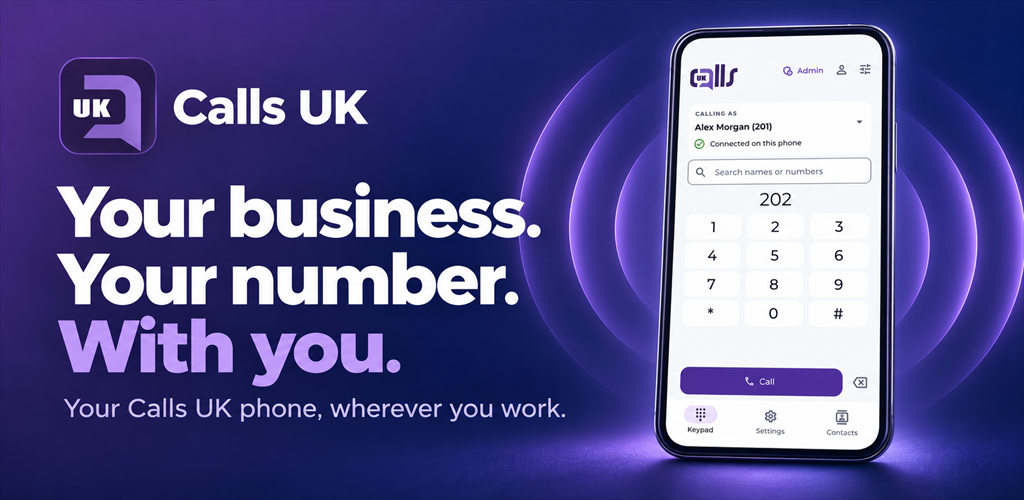
Your system, before you order
Build it around
your business.
Choose a realistic starting layout, add the people who answer and set the routes. The builder brings your floor plan, call handling and estimate into one place.
- Edit rooms and teams in a 2D or 3D workspace
- Set ring order, waiting times and opening hours
- Test busy, unanswered and out-of-hours calls
- Save a plan, share a link or download a branded quote
Start with reception and client services. Keep shared calls easy to answer.
Start with this layout →You can change the rooms, teams and call flow. No sign-up needed.The whole setup
More than the phone on the desk.
Numbers & switching
Keep a familiar number and make a clear plan for moving it.
Equipment & connectivity
Match phones, headsets, network and power to the people using them.
Installation & handover
Agree who sets up the system, checks the routes and shows the team how it works.
Your account & reporting
Explore how designs, people, bills and support can work together.
Know what goes into the price
A clear estimate.
Every part accounted for.
Count your extensions, choose equipment and include the services you need. See monthly and one-off costs separately, with VAT shown in the quote.
Website prices are planning examples. Confirm availability, tariffs and terms with Calls UK before placing a real order.Can I keep my existing business number?
Include it in the transfer plan. The account details, connected services and carrier acceptance need checking before a changeover date is confirmed.
Do we need desk phones for everyone?
Start with how each person works. A desk phone may suit reception; a headset and supported app may suit a laptop user. Confirm compatibility before ordering.
What happens if our internet connection fails?
Plan an alternate team, location or message route, and consider backup connectivity and power. Your emergency-contact arrangements need a separate working alternative.
Can I try the system before speaking to someone?
Yes. Configure a system and simulate its call routes in the builder. The shop and account tools also use examples; they do not place real calls or take payments.
Let’s get the next call right